

The messages stopped being answered on a Tuesday. By Thursday the owner had worked out that she could no longer post, and by the following week she had submitted the hacked page form four times and heard nothing back. Nobody had hacked anything. The page had been set up in 2019 by a cousin who was good with computers, he still held full control of it, and he had not opened Facebook since March.
Three quite different things get called losing the page, and they have three routes that do not overlap at all. One is a form. One is a conversation. One is a request that sits with whoever holds the business portfolio for thirty days. Submitting the wrong one does not fail quickly and tell you so. It fails slowly, quietly, while you assume somebody is reading it.
So the first job is not recovery. It is diagnosis, and it takes about twenty minutes. This guide covers how to tell the three apart, what to do in each case, and what to fix afterwards so the same week cannot happen twice.
One thing should be said before any of it. Two of these three routes end in a decision that is not yours: Meta reviews the form, and a business admin answers the release request. Nothing written here, and nothing written anywhere else, can promise you the page back. What it can do is make sure you are knocking on the right door, with the right thing in your hand, the first time.
In short
- Three losses, three routes, and the wrong route costs weeks rather than minutes.
- Meta acts on the recovery form only if it can confirm the page was compromised.
- If a person still holds the page legitimately, no form exists. That is a conversation.
- If a supplier’s portfolio owns it, releasing it runs thirty days, then a seventy-two hour grace period.
Before you start
Nothing here needs a specialist and none of it costs anything. It does need five things in front of you:
- The personal Facebook account you used when you worked on the page. Not a new one, and not somebody else’s.
- The device you normally log in from. This matters more than it sounds, and step three explains why.
- The public address of the page, so you can look at it the way a customer does.
- A written list of everybody who has ever touched the page: staff, former staff, the person who built it, the freelancer who ran the promotions, the relative who helped at the start.
- An honest answer to one question: has the business itself ever held the login, or has it always been on somebody’s personal account?
A word on vocabulary, because the searches use the old one and the screens use the new one. Facebook no longer calls it being an admin. It calls it Facebook access with full control, which can add and remove people, including you, and can delete the page. Below that sits Facebook access with partial control, and below that task access, which works through Meta Business Suite or Ads Manager and cannot switch into the page at all. When this guide says somebody holds the page, it means they have Facebook access with full control. When somebody tells you they are an admin, ask which of the three they actually have, because people are often sure of the wrong one.
Step 1: Work out which of the three losses you are looking at
Afterwards you can say in one sentence what happened, which decides everything below and saves you from the fortnight in the opening paragraph.
There are three, and they feel identical from where you are sitting. In all three you cannot post, and in all three the page is still there.
Somebody took it. Your password was stolen, or somebody talked you or a colleague into granting access, and then your own access was removed. The signs are specific: posts you did not write, a changed page name, messages sent to customers in your name, or a login alert you ignored a week ago. The page is also the inbox, which is why this is urgent in a way a quiet week of posting is not, and our entry on Messenger covers what is actually sitting in there. Something happened that nobody in your business did.
Somebody still has it. The page was built on a person’s account and that person still holds control. Nothing was stolen. The employee left, the freelancer finished, the cousin lost interest, the relationship soured. Nothing on the page looks wrong. It is simply not moving, because the only person who can move it is not there.
A business portfolio owns it. An agency or a former supplier connected your page to their business account, and control sits inside a structure you were never given a seat in. You may still be able to post. You will discover this the moment you try to remove somebody, or try to take the page with you when you change suppliers.
- Look at the page as a stranger would, logged out, on a phone. Read the last five posts and the page name.
- Ask whether anything on the page was changed by somebody who is not in your business. Not missing. Changed.
- Ask who set the page up, by name, and whether that person is reachable today.
- Write one sentence: somebody took it, somebody still has it, or a portfolio owns it.
Check it worked when you can say that sentence without hedging. If you find yourself saying two of them, the next step settles it. If the page has disappeared entirely rather than becoming unreachable, that is a fourth situation, and it usually means the page was removed for going against Facebook’s rules. That is an appeal rather than a recovery, and it starts from the notification that was sent to whoever held the page.
Step 2: Read what Facebook already tells you in public
When this is done you know whether a business portfolio is involved, which is the one thing you cannot find out by remembering.
Facebook publishes more about your page than most owners realise, and it publishes it to everybody, including you while you are locked out. The section is called Page transparency, and inside it is a line listing the organisations that manage the page. This exists for advertising accountability, and it happens to be the fastest way to answer the question that decides between loss two and loss three.
- Open the page while logged out, or on a device that is not signed in as you.
- Find the Page transparency section and open it.
- Read the entry for the organisations that manage the page.
- Note the creation date and any record of the page having been merged or renamed.
A company name you recognise, or one you used to pay, means a business portfolio owns the page and step five is your route. A company name you do not recognise at all, alongside other changes you did not make, points back at loss one. Nothing listed usually means the page sits on a personal account, which is loss two.
Check it worked when you can name the organisation managing your page, or say with confidence that there is not one. Our article on who actually controls your Facebook page and Instagram goes through the rest of that audit, including the part of it that applies to Instagram, which is the account nobody checks until it is too late.
Step 3: If somebody took it, submit the recovery form
Afterwards you have a request in Meta’s hands, submitted correctly the first time, and you know what it can and cannot do.
This is the only route for a page that was taken, and it is a form rather than an email address or a phone number. Meta states that it aims to reply within a day, and that some reviews take longer. It also states the condition that decides most of these cases, and it is worth reading twice: it can only take action on the report if it can confirm that the page was compromised. That sentence is the border between this step and the next one. A page held by somebody who is entitled to hold it has not been compromised, however badly the relationship has broken down.
- Log in to the personal account that recently lost access to the page. The form appears for that account and not for a colleague helping you.
- Open Facebook’s help centre article on recovering a hacked page you manage and use the recovery form linked inside it, rather than a link somebody sent you.
- Select the page. If the list will not let you select it, Meta’s stated reason is that it does not see a recent loss of access from your account. That usually means you are in loss two or loss three rather than loss one.
- Submit once, and watch the email address attached to that account, including the spam folder.
If you cannot log in at all, the form is out of reach and the starting point is facebook.com/hacked instead. Do that from a device you have logged in from before, because the recognised device is part of how Facebook decides whether to believe you. This is also the door for the much more common problem of a personal account being disabled, which is a separate matter from the page and has to be solved first, because the page is reached through the person.
One thing that does not work: having somebody else submit it for you. Meta is explicit that the person who lost access has to log in and submit it themselves. If you are helping a colleague, sit with them rather than doing it on their behalf.
Check it worked when you have a confirmation in the inbox of the account that submitted it, or a plain understanding of why the form would not accept the page. The second outcome is not a failure. It is the form telling you that you are in a different situation from the one you assumed, and that is worth an afternoon.
Step 4: If a person still has it, ask the person
When this is done you have either the access back or a clear, named refusal, and both of those are better than another week of forms.
There is no mechanism for this, and Facebook says so itself. Only somebody with Facebook access with full control can give, edit or remove access to a page. Meta’s own guidance for a business in your position is to contact current and former employees, contractors and other people who worked on the page, and ask them to check what access they have. That is the whole official answer, and understanding why is what stops you wasting the fortnight: from Meta’s side, a stranger insisting that a page belongs to them looks exactly like somebody trying to take one.
- Work down the list you wrote in the preparation, not just the obvious name. The person who still holds control is very often not the person you think, because access was granted once during a busy month and never reviewed.
- Ask each of them to open their page access settings and read out what it says next to their own name. People are confidently wrong about this, and the screen is not.
- When you find the person, make it easy to say yes. Ask for one specific thing: Facebook access with full control, for a named account belonging to the business. Say plainly that you are not asking them to give up anything they still need for work they are still doing.
- Put it in writing afterwards, even briefly, so the next person who asks this question has something to read.
If the answer is silence rather than refusal, give it a fortnight of polite persistence and then stop. If the answer is a demand for payment, you are no longer having a technical conversation, and the question becomes what the page is actually worth against the alternative.
Check it worked when your own business account appears under the people with Facebook access, or when you can name the person, the date you asked and the answer you got. Write that down. It is the document that makes the next decision easy instead of emotional.
Step 5: If a portfolio owns it, request release
Afterwards the request is pending, you know the date it expires, and you have stopped guessing.
When a page sits inside somebody else’s business account, there is a formal route out, and Meta publishes its terms plainly. You can request release of page ownership if you have full Facebook access to the page. The request stays pending for thirty days and then expires. While one request is open, no other admin can send another, so a second attempt from a colleague does nothing except waste the window. The current business admin receives an email notification. If the request is approved the page leaves the business account after a seventy-two hour grace period, and if it is denied the page stays where it is and you may ask again.
One exception is worth knowing before you begin, because it is the part most write-ups omit: Meta states that a page linked to an Instagram account cannot be approved by a business admin. If your page and Instagram account are connected, expect this route to stall, and expect the conversation with the supplier to be the thing that actually resolves it.
- Switch into your page from your own profile, then open the page settings and find the page access section. The release option appears under business account access, and it only appears if a business account owns the page.
- Send the request, and write down the date. Thirty days from that date the window closes.
- Tell the supplier you have sent it, in an email, on the same day. The notification Meta sends is easy to miss, and a request that expires unread is the most common way this route fails.
- If it is denied, ask why in writing before sending another. A refusal with a stated reason is negotiable. A refusal with no reason tells you something about the supplier that is worth knowing anyway.
Check it worked when the request shows as pending and the expiry date is in somebody’s calendar. Not the owner’s memory. A calendar.
Step 6: Close the door behind you
When this is done the same fortnight cannot repeat, which is the only part of this guide that is entirely within your control.
Whatever the outcome above, this step is worth doing today, and it is the one that would have prevented most of what you have just been through. Meta’s own advice after a recovery is a good starting point and does not go far enough for a business.
- Undo anything on the page you do not recognise: the name, the photographs, the description, the linked accounts and any scheduled posts.
- Read the full list of people with access and remove everybody who does not still work for the business. Expect this list to be longer than you thought, and expect at least one name nobody can identify.
- Make sure at least two people inside the business have Facebook access with full control, on accounts that belong to individuals who are still here. One is a single point of failure. Everybody is a different kind of failure.
- Give suppliers task access rather than full control. They can do the work through Meta Business Suite without holding the ability to remove you.
- Turn on Advanced Protection and two-factor authentication on the personal accounts that hold the page, because the page is only ever as secure as the people who can reach it.
Check it worked when every name on the access list is somebody you could telephone this afternoon, and when losing any single one of them would not lock the business out.
Common mistakes
- Calling it hacked when nobody hacked anything, then submitting a form that can only act on a page it can confirm was compromised.
- Submitting the recovery form repeatedly. There is no queue position to improve, and a second submission does not signal urgency.
- Having a colleague submit it on your behalf, when Meta requires the person who lost access to log in and do it themselves.
- Trying to log in from a new phone or a new connection during a recovery, when the device you always use is part of how Facebook decides to believe you.
- Letting a release request sit unread until it expires, then starting the thirty days again from nothing.
- Paying somebody who guarantees recovery. Nobody outside Meta can guarantee it, and the work always begins with you handing over the credentials to an account that is already in trouble.
- Getting the page back and leaving the access list exactly as it was.
What success looks like
A month on, you should be able to say all of this:
- You can name which of the three losses you had, and you stopped working on the other two routes the day you worked it out.
- The correct request was sent once, completely, and you know the date it expires or the date it was answered.
- Every person with Facebook access with full control is somebody currently in the business, and there are at least two of them.
- Suppliers have task access, and the business itself owns the portfolio rather than sitting inside somebody else’s.
- Instagram was checked in the same sitting, because it is reached through the same access and nobody ever checks it.
- Something exists outside Facebook that customers can reach: a site on your own domain, a Google Business Profile, an email address at your own name.
That last one is the part that decides how bad the next incident is rather than whether it happens. Our guide to the first seven steps of SEO is where to start on being findable by somebody who has never heard your name, which is the thing a page alone has never done. Our article on what you would keep if Facebook closed your page tomorrow is the short version of that argument, and the honest answer for most businesses here is that the list is very short.
The honest limit
When to stop doing it yourself
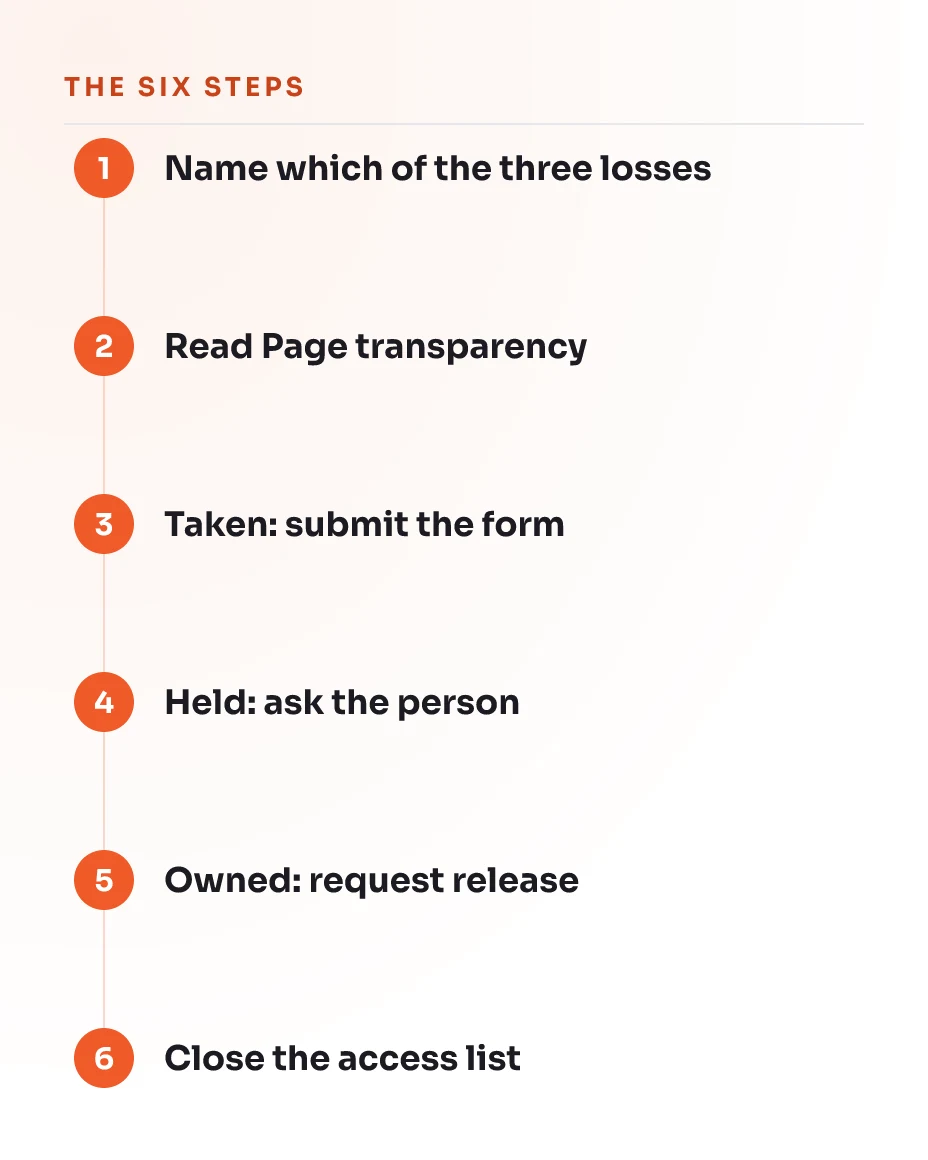
The six steps above cover everything that is actually yours to do: working out which loss you have, submitting the form, asking the person, sending the release request and closing the access list behind you. What they cannot do is decide any of it. Meta reviews the recovery form and either confirms the page was compromised or does not, and there is no second form and no appeal worth the name. A release request sits with whoever holds the business portfolio, and a page linked to an Instagram account cannot be approved by a business admin at all, which is a wall rather than a delay. A suspended portfolio with an ad account and unpaid spend behind it is a different case again, because the money and the access are tangled together and the order you untangle them in matters. And when the person holding your page has stopped answering, the remaining question is not technical: it is whether the page is worth more than the months you would spend on it, and that is a business decision somebody should help you make out loud.
Questions we get
Questions we get about this
My Facebook page was hacked. How do I get it back?
Can I recover a page if the person who created it has left?
How long does Meta take to answer a page recovery request?
Our agency's business portfolio owns our page. How do we get it out?
Should we just make a new page instead?
Someone is offering to recover our page for a fee. Is that real?
Read next
How to start an ecommerce business: from chat orders to a store you own
How to open an online store, step by step, for Philippine businesses already taking orders by chat. Starting with what the international guides get wrong.
SEO tips for beginners: your first seven steps
A step by step SEO guide for Philippine business owners with no agency. Seven things you can do yourself, in the order that actually matters.