

The owner opens the website on the office wifi, on the same computer it was built on, and it appears immediately. The customer opens it on mobile data, on a phone that has never seen the site before, somewhere with two bars of signal, and waits. Then stops waiting.
Both of them looked at the same website. Only one of them was a customer, and they left without telling anybody. That is the particular cruelty of a slow site: the people it costs you are the ones you never hear from.
This guide is about finding out which part is slow, and it is deliberately split in two. Three of the causes below are yours to fix in an afternoon with no technical skill at all. The rest are somebody’s job, and knowing which of the two you are looking at is worth more than any score out of a hundred.
That split is missing from almost everything written on this. Search the question and half the results hand you a testing tool rather than an answer, and most of the rest are written by developers for developers, in the vocabulary of waterfall charts and render blocking resources. A number is not a diagnosis. What follows turns one into a decision.
In short
- Find out whether it is the website or the connection before you change a single thing.
- The only test that counts is a phone on mobile data, away from your own wifi, with nothing stored from last time.
- Three causes are yours: the images, the things loading that nobody asked for, and what the site does on a phone.
- Where the server physically sits decides how the site feels here, and no amount of design work moves it.
Before you start
You do not need a developer and you do not need to install anything. You do need five things:
- The address of your site, and a page that matters rather than the home page. The page customers actually land on is usually a product or service page.
- A phone with mobile data, and the willingness to leave the building with it.
- The hosting login, if anybody in the business can find it. This is not the same as the login you use to edit the website, and step three is partly about discovering whether it exists.
- Somebody else’s device, or a second network, for step one.
- About an hour to measure. Fixing what you find takes an afternoon, and it can wait until you know what it is.
One thing to hold on to before you open any tool. A speed score is a measurement, not a verdict. Sites scoring badly make money every day and sites scoring well sell nothing. The number is useful because it points at a cause, and it stops being useful the moment it becomes the thing you are trying to improve.
Step 1: Work out whether it is the site or you
Afterwards you know whether you have a website problem at all, which is the question nothing on the first page of this search bothers to ask.
This is the step people skip, and skipping it is how an afternoon disappears into fixing something that was never broken. A page can be slow because of the site, or because of the connection you happen to be sitting on, or because of the device in your hand, and from where you are standing all three feel identical.
- Open the same page on a different device on a different network. Somebody else’s phone on mobile data is ideal. Your own wifi is not a different network.
- On that same connection, open a large and well known site. Anything national, anything you know is well built.
- Compare. If the well known site appears quickly and yours does not, the problem is yours and the rest of this guide applies. If both crawl, the connection is the problem and your website is a bystander.
- Try once more at a different time of day. Connections here are not equally fast at nine in the morning and nine at night, and neither is a shared server.
Check it worked when the same page is slow on a connection that is not yours, on a device that is not yours, twice. Until that is true you do not have a measurement, you have an impression, and impressions are how businesses end up paying to fix the wrong thing.
Step 2: Measure it the way a customer meets it
When this is done you can say which part of the experience is failing, in words, rather than quoting a single number that describes nothing in particular.
Open PageSpeed Insights, which Google publishes free, and put in the page you chose rather than the home page. Read the mobile tab first and treat the desktop tab as a curiosity. Almost nobody in the Philippines is meeting your business on a desktop.
The page gives you two different things and they are easy to confuse.
- The score out of a hundred is a laboratory result. Google loads your page once, on a simulated mid range phone, on a simulated connection. It is repeatable and it is not your customers.
- Underneath it, sometimes, is a section built from real visitors over the previous month. That is the one that matters. It reports three things: how long the main content takes to appear, how quickly the page responds when somebody taps, and how much the layout jumps about while loading.
- If that real visitor section is missing entirely, it is because the page does not yet get enough traffic for Google to report on it. That is normal for a small site and it is not a fault. Use the laboratory score and move on.
- Write down which of the three is failing rather than the overall number. Slow to appear, slow to respond and jumping about have completely different causes, and treating them as one problem called slowness is how people end up buying the wrong fix.
The three measurements are explained in our entry on Core Web Vitals, including why Google prefers what real visitors experienced over what a test machine did.
Check it worked when you can finish this sentence without looking: the problem with my page is that it takes too long to ___. If the honest answer is that all three are failing at once, that usually points at the server rather than the page, which is step three.
Step 3: Find out where the server is
At the end of this you know which company your site actually lives with, on what kind of plan, and in which part of the world. A surprising number of businesses discover they cannot find out, and that discovery is worth the hour on its own.
Every time somebody opens your site, a request travels from their phone to the machine your site lives on and the answer travels back. That journey takes time, it happens repeatedly while a page loads, and nothing you do to the design removes it. A site served from the other side of the world is slower in Manila than the identical site served from within Asia, before a single photograph is considered. Our article on what free hosting actually costs goes into why cheap capacity tends to be distant capacity.
- Find the hosting login. Not the login you use to write the website, the one for the company that runs the machine. These are different accounts and people routinely hand over the second while having no idea where the first is.
- Once inside, find the plan and the region. Shared hosting means your site queues behind other people’s sites on the same machine, and you will not be told whose.
- Look at how long the server takes to answer before anything at all has loaded. PageSpeed Insights reports this as the initial server response time, and it is the one number on that page that has nothing to do with your design, your images or your plugins.
- If nobody in the business can produce the hosting login, stop and write that down as the finding. You cannot move, secure or speed up a machine you do not have access to, and that is a larger problem than the one you started with.
The difference between owning your address and renting the space it points at is set out in our entry on hosting, and the two are bought together often enough that people assume they are one thing.
Check it worked when you can name the hosting company, the plan and the region out loud. If the server response time is slow and everything else measures well, you have found your answer and it is not something you fix from inside the website.
Step 4: Weigh the images
Afterwards the heaviest pages on your site are a fraction of the size they were, and the photographs still look like photographs.
This is the largest cause that an owner can fix alone, it is present on almost every small business site, and it is described nowhere in language a non technical person can act on. The mechanism is simple. A photograph taken on a modern phone is enormous, far larger than the space it will ever be shown in. Putting it on a website unchanged means every visitor downloads all of it, in order to see a version the size of a postcard.
- Find your heaviest pages. PageSpeed Insights lists the largest files it had to download, in order, with their sizes.
- Resize before you compress. An image displayed a thousand pixels wide does not need to be four thousand pixels wide. This single step usually removes most of the weight and costs no visible quality at all.
- Then compress. Any free image compressor will do, and the setting you want is the one that halves the file without a visible difference on a phone screen.
- Save in a modern format. WebP and AVIF are made for this and every browser your customers use understands them. Most website platforms will convert automatically once you turn the setting on.
- Replace the worst offenders first and measure again. Ten images fixed on the page customers land on beats two hundred fixed everywhere else.
Check it worked when the largest file on your busiest page is a small fraction of what it was, and when you look at that page on a phone and cannot see what changed. If you can see what changed, you compressed too hard. Go back one setting.
Step 5: Count what loads that nobody asked for
When this is done, everything the page loads is there because somebody decided it should be, which is not the situation on most websites.
Sites accumulate. A chat widget from a trial two years ago. A pop up for a promotion that ended. A social media feed nobody reads. Three separate tracking scripts because three separate people each added one. Fonts that came with a theme. Plugins installed once for a reason nobody present can remember. Each is small. Together they are often larger than the entire page a visitor came to read, and every one of them is fetched before the page is finished.
- Open your own site as a visitor and write down everything on the screen that is not the content you meant to publish.
- For each one, ask when it last produced anything. A chat widget nobody answers is a cost with no return. A social feed that shows three posts from last year is worse than nothing.
- In your platform, look at the list of installed plugins or apps and find the ones nobody can account for. Deactivate rather than delete, one at a time, and look at the site after each.
- Reduce tracking to what you actually read. If nobody in the business opens the reports, the script is slowing the site down in order to fill a dashboard nobody visits.
- Measure again after each removal rather than at the end, so you know which one mattered.
Check it worked when you can justify every single thing that loads, and when at least one item you had forgotten about is gone. There is almost always at least one. Deactivating one at a time is the part that matters, because removing six things at once tells you nothing about which of the six was the problem.
Step 6: Test it the way it will actually be used
At the end of this you have stopped guessing, because you have watched the thing happen under the conditions your customers meet.
Everything above is measurement, and measurement can still miss the obvious. A page can score respectably and still be unusable. The button sits under a banner on a small screen, or the form cannot be filled in with a thumb, or the whole thing shifts downward just as somebody goes to tap.
- Leave the building. Take a phone, turn off the wifi, and use mobile data.
- Clear the browser data for your site first, or use a private window. Otherwise you are testing a version already stored on your phone from the last time you looked, which no first time visitor will ever have.
- Open the page you chose in step two and count, out loud, until you can read something useful. Not until the page has finished loading. Until you can read something.
- Try to do the thing a customer would do. Find a price, fill in the form, tap the number, add something to the basket. Use one thumb.
- Do it again somewhere with poor signal. Inside a building, away from a window, in a vehicle. That is not an unfair test, it is a Tuesday.
How a layout is supposed to behave across screen sizes is covered in our entry on responsive design, and a site that fails this step on layout rather than speed has a different problem with the same symptom.
Check it worked when you can read something useful within a few seconds, and complete the main action with one thumb, on mobile data, away from your own premises. If that is true, the site is not slow in any sense that costs you money, whatever the score said.
Common mistakes
- Testing on the office wifi, on the computer the site was built on. It is the fastest conditions the site will ever see and it is the reason slow sites survive for years inside a business.
- Chasing the score to a hundred. The last twenty points are where the specialist work lives and where the return falls away sharply. Getting a bad page to a decent one is worth an afternoon. Getting a decent page to a perfect one usually is not.
- Compressing images until they look cheap. A fast page that makes the product look poor has traded one lost sale for another.
- Installing a speed plugin on top of the problem. It adds another thing to load and hides the cause underneath a layer of caching, so the next person to look at the site cannot find out what is actually wrong.
- Changing hosting before knowing the cause. It is the most expensive guess available, and if the weight is in the images it moves them to a faster machine without making them smaller.
- Treating it as something you do once. Sites gain weight the way drawers gain contents. Every new photograph, plugin and widget adds a little, and a site measured today is describing today.
What success looks like
An afternoon after finishing, you should be able to say all of this:
- The site is slow on somebody else’s phone on mobile data, or it is not, and you know which.
- You can name which of the three things is failing rather than quoting one number.
- You know the hosting company, the plan and the region, or you have found out that nobody in the business can.
- The busiest page weighs a fraction of what it did and looks no different.
- Everything that loads is there because somebody decided it should be.
- You can complete the main thing a customer does, with one thumb, on mobile data, away from your premises.
And you know which of your remaining problems are not yours. That is the real output. A list that says the images are fixed, the clutter is gone, and the server takes too long to answer is not a failure. It is a finished diagnosis, arrived at without paying anybody, and it is a far better position to negotiate from than a vague sense that the website feels slow.
The visitors this gets back are the ones who never told you they left. Our guide to the first seven steps of SEO covers getting more of them to arrive in the first place, and the two problems compound: there is no point earning a visit from somebody who leaves before the page appears.
The honest limit
When to stop doing it yourself
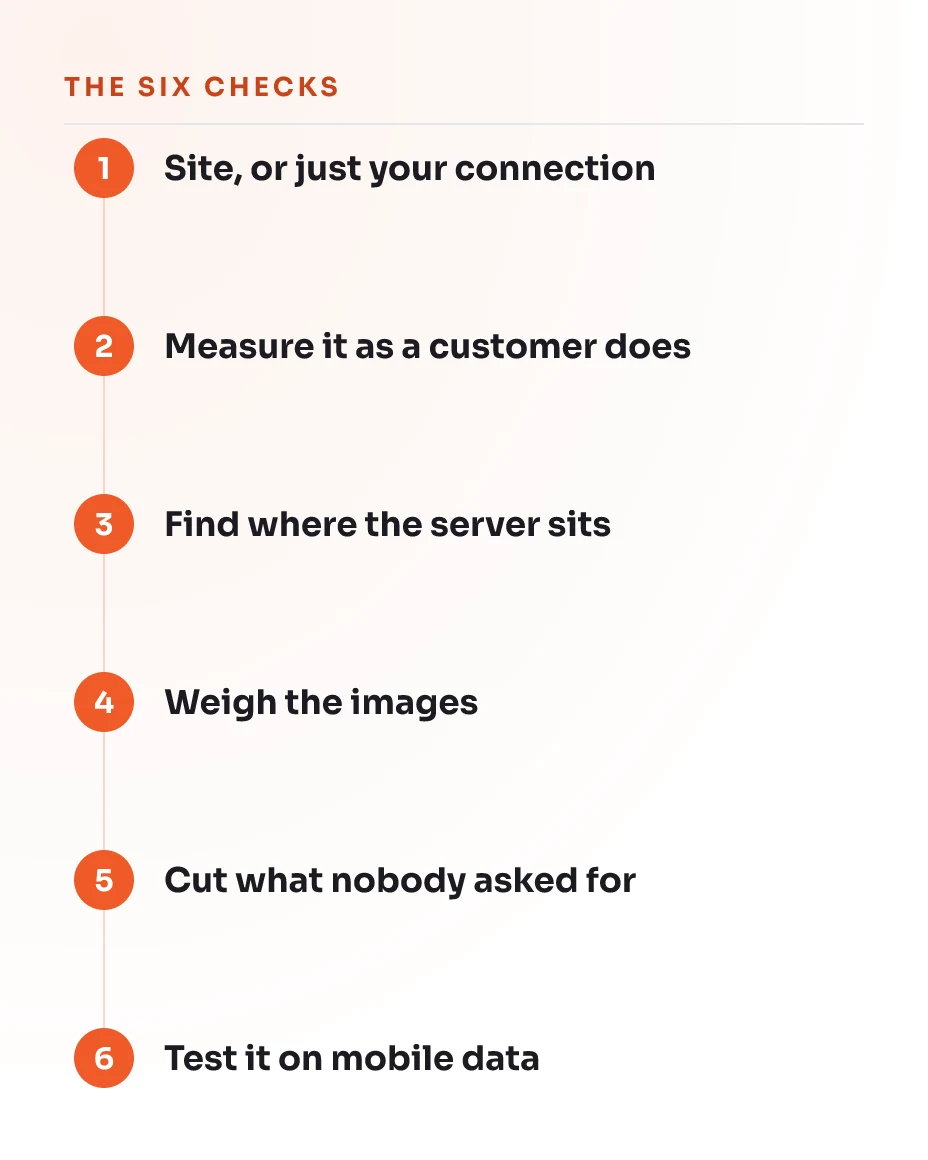
The six checks above are one owner and one afternoon, and they will tell you which of your problems are yours. What they cannot do is fix the ones that are not. Server and caching work, meaning page caching, object caching, PHP versions and anything touching the database, is where a mistake takes the site down rather than slowing it, and it is not reversible by undoing the last thing you clicked. Render blocking CSS and JavaScript can be deferred, inlined and minified into a faster site or into one where the contact form quietly stops submitting, and the second outcome does not show up on the page you tested. A content delivery network touches your DNS, which means a wrong record takes the site off the internet entirely rather than making it slow. Replacing the theme or the page builder is a rebuild wearing the costume of a speed fix, and should be priced as one. If your measurements point at any of those four, you have found the answer the free method exists to find, and that is the moment to ask somebody.
Questions we get
Questions we get about this
Is it my website or my internet connection?
How fast does my site actually need to be?
Does website speed affect my Google ranking?
Why does the site feel fine to me and slow to my customers?
Will moving to a new host fix it?
Do I need a content delivery network?
Read next
SEO tips for beginners: your first seven steps
A step by step SEO guide for Philippine business owners with no agency. Seven things you can do yourself, in the order that actually matters.
How to start an ecommerce business: from chat orders to a store you own
How to open an online store, step by step, for Philippine businesses already taking orders by chat. Starting with what the international guides get wrong.