

Somebody two streets away has her phone out right now, typing the thing you sell and the words near me. Google answers with a small map and three businesses on it. If you are not one of the three, it is usually not because she compared you with them and chose somebody else. It is because Google had nothing to compare.
The thing that puts you on that map is a Google Business Profile. It is free, it belongs to you rather than to a platform you rent, and it is the only piece of marketing work we know of that can bring somebody through the door in the same week you do it. For a business with no website at all, it is also the closest thing to having one.
Most instructions on this begin by telling you to create one. That is the step to be careful about, because Google builds listings out of crawled websites, licensed data, and what passers-by have told it, which means a listing for your business may already exist with nobody in charge of it. If you create a second one, you have made the single mistake here that is genuinely awkward to undo.
And the part that stops people is not the typing. It is verification, and how you verify is not a choice you get to make.
In short
- Search for your business before you create anything. You may be claiming a listing rather than making one, and two listings for one business is the mistake worth avoiding.
- Decide whether customers come to you or you go to them before you type an address. If nobody is ever served at your address, the address does not go in.
- You do not pick the verification method. Google assigns it from your business type, your hours, your region and what is already public about you, and for most new profiles it is now a video.
- If your business never meets a customer in person, you are not eligible. Better to find that out in the first ten minutes than at the end of the afternoon.
Before you start
None of this costs anything and none of it needs a specialist. It does need five things within reach:
- A Google account. It does not have to be a Gmail address, because an existing work address can be used to sign in, and it should be an account the business controls rather than a staff member’s private one.
- The business name exactly as it appears on your signboard. Not the longer version on the certificate, and not the version with your services added to the end.
- Either your address, or a written list of the places you travel to. Which of the two you need is settled in step two, and getting it wrong is the most expensive mistake on this page.
- A phone number a person actually answers. If a recorded menu picks up, a verification code sent to it will never reach anybody.
- A phone you can walk around with. If it turns out to be video verification, the recording has to be made live on a mobile, and there is no way to film it first and upload it afterwards.
A word on names, because the screens and the searches disagree. The listing is called a Business Profile. It used to be called Google My Business, which is why the old name is still on half the guides and on the app most people remember. Your profile is the thing you edit; the pin on Maps and the panel beside your name in search results are two places the same profile is displayed. There is no separate Maps listing to create, and our entry on the Google Business Profile covers the rest of the vocabulary you will meet on the way.
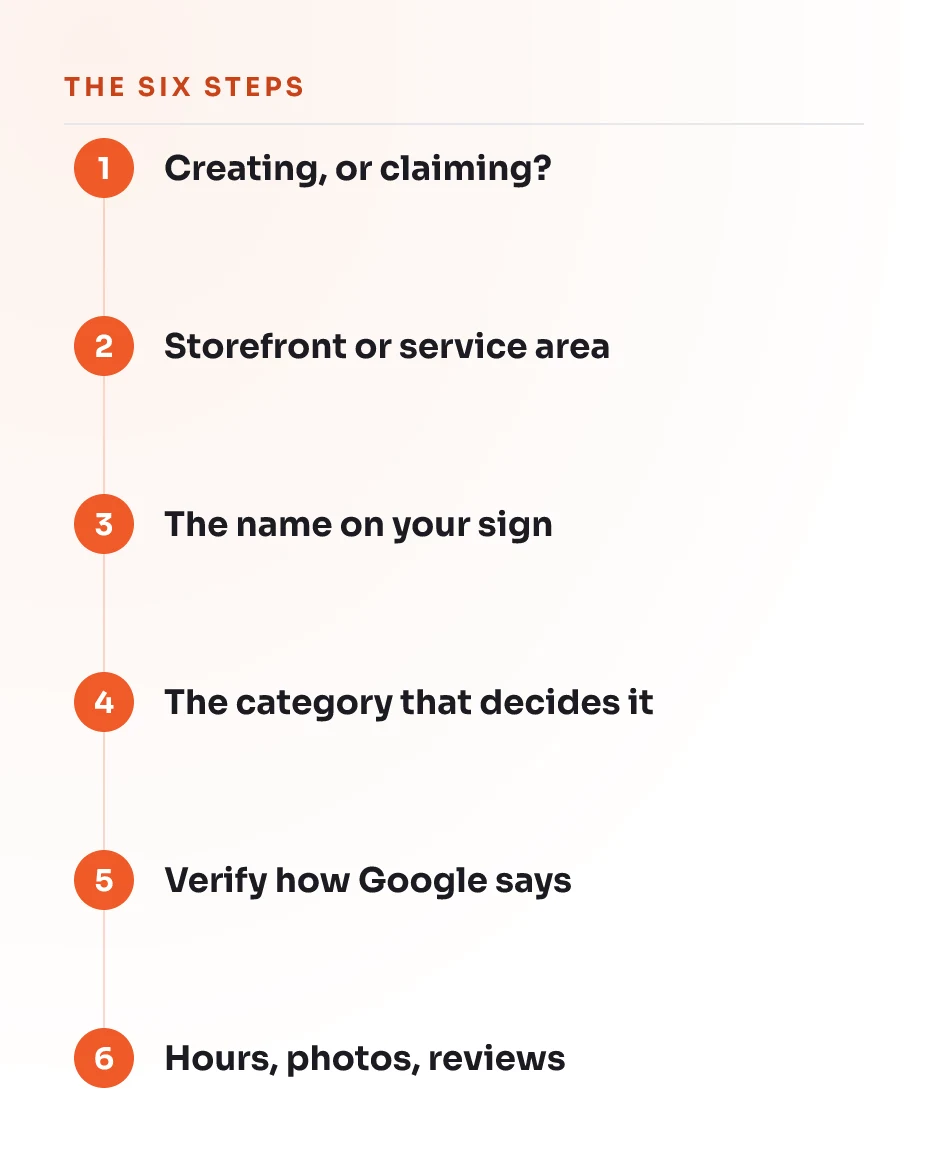
Step 1: Find out whether you are creating or claiming
Afterwards you will know which of three situations you are in, and that decides whether the next hour is typing or emailing.
Open Google Maps in a browser where you are not signed in, or a private window, and search your business name with your city. Then search what you sell with your barangay or your city, and look down the list for yourself. Try the old name too, if the business has ever had one.
Nothing comes back. No pin, no panel, nothing with your name on it. You are creating a profile from scratch, which is the straightforward case, and step two is next.
A listing is there and nobody has claimed it. You will see a line offering to claim the business. Somebody added it, or Google assembled it from a directory or your own website, and it has been sitting there collecting the occasional review with nobody reading them. You are claiming rather than creating, and everything on that listing is already being shown to customers whether it is right or not.
A listing is there and somebody has verified it. There is no claim button. This is the awkward one, and it has two innocent explanations and one that is not. A previous owner, a former agency or the supplier who built your website may hold it. Somebody in your own business may have set it up years ago on their own account and forgotten. Or a competitor or a stranger claimed it, which does happen. Step three covers what to do, and none of the answers is to create a second listing.
- Search your name and city on Maps, logged out.
- Search what you sell plus your city, and read twenty results rather than five.
- If you find something, read it as a customer would. Note the phone number, the hours and any reviews.
- Write down one of three words: nothing, unclaimed, taken.
Check it worked when you can say that word without hedging, and when you have not yet pressed anything that says Add your business. If two listings for your business already exist, you have inherited the problem rather than caused it, and it is worth sorting out before you add a third. Google handles that as a duplicate, and the profile you keep should be the one with the reviews on it.
Step 2: Work out which kind of business Google thinks you are
Afterwards you will know whether your address goes into the profile, which is the one decision on this page that is painful to reverse.
Start with whether you qualify at all. Google’s rule is short: to be eligible, a business has to make in-person contact with customers during the hours it says it is open. That allows a great deal, including businesses run out of a house and businesses with no premises worth showing. It rules out online-only selling completely, alongside lead-generation companies, properties that are for rent or for sale, and any business whose address is a post box.
Then sort yourself into one of three, because Google will ask and the answer changes the form.
A storefront. Customers come to you, during your opening hours, at a place with permanent signage on it. A clinic, a carinderia, a hardware store, a salon. Your address goes in.
A service-area business. You go to the customer and nobody is served where you are based. A plumber, an aircon technician, a cleaning crew, a caterer who only delivers. Your address does not go in, and Google says so plainly: if you do not serve customers at your business address, remove the address. Instead you list the places you travel to.
Both. You serve people at your counter and you also go out to them. A restaurant with a dining room that also delivers. You keep the address and add a service area on top of it.
There is one test that settles the first two, and almost nobody applies it. If there is no permanent sign at your location with your business name on it, you are not a storefront, whatever the lease says. Google’s own instruction is to list the business as a service-area business instead. A sari-sari store with a painted sign is a storefront. A home-based baker with a sign on the gate is a storefront. A home-based baker with nothing on the gate is not, and trying to verify as one is how an afternoon gets wasted.
Check it worked when you can finish both of these sentences out loud. Customers are, or are not, served at my address. My address is, or is not, going into the profile. Adding twenty cities to a service area feels like the way to be found in twenty cities. It is not, and that assumption costs people months, so read our article on why the service area you set is not where Google ranks you before you get to step six.
Step 3: Create or claim it, and put the right name in
Afterwards the profile exists inside an account your business controls, with the name a customer would actually say.
If step one said nothing, go to business.google.com/add and work through the form. If it said unclaimed, find the listing on Maps and use the claim link on it rather than the add form, so you inherit the reviews instead of starting at zero. If it said taken, do not use either. Search the business at business.google.com/add, and when you are told somebody else may manage it, choose to request access and fill in the form. The holder gets an email and three days to reply, and the waiting starts there. A service-area business with no shop cannot use that form at all and has to ask support to transfer ownership of the listing.
The name is where most profiles go wrong in the first five minutes. Put in the name on your signboard, and nothing else. Not the services after it, not the city, not the tagline. Adding them is against Google’s rules, and it is one of the more common reasons a profile is suspended. Our research on the fields Filipino businesses leave blank found the name field being misused on listings that were otherwise half empty.
If your registered name and the name on your sign are different, which is usual here, the sign wins. That is not us being casual about the paperwork. It is what Google asks for, and our article on the name on your certificate explains why the two names exist and which one belongs in which place.
- Use the route that matches the word you wrote in step one.
- Enter the name from your signboard, character for character.
- Answer the address question the way step two decided, and do not improvise.
- Add the phone number a person answers, and your website if you have one.
Check it worked when the profile appears in the Google account you intend to keep it in, and the name on screen matches the name a customer photographs when they are standing outside. If somebody else set this up for you, check whose account it landed in now rather than in two years, because that is the same problem this guide’s neighbour on recovering a Facebook page exists to solve.
Step 4: Choose the category, because it decides which searches you exist in
Afterwards your profile is eligible to appear for the searches your customers actually type, which the words in your description will never achieve on their own.
The primary category is the single most consequential field on the profile, and it is a list you choose from rather than a box you write in. It tells Google what kind of place you are, and a business filed under the wrong kind simply does not appear for the right searches, however complete the rest of the profile is.
Pick it by finishing this sentence as narrowly as it will go: we are a ______. Dental clinic, not clinic. Air conditioning repair service, not contractor. Then start typing that phrase into the field and take the closest thing Google offers you, because only what is on its list counts.
Additional categories cover the other things you do. A shop that also repairs what it sells adds the repair category. Add the ones that are genuinely true and stop, because a long list of loosely related categories dilutes what the profile is about rather than widening it.
Check it worked when the primary category is the answer you would give if a stranger asked what your business does, in three words or fewer. Search that category plus your city as a logged-out stranger, and you should at least see the kind of businesses you consider yourself among.
Step 5: Get verified with whatever method Google offers you
Afterwards you have submitted, and you are waiting for a decision that takes up to five business days.
This is the step that defeats people, and it helps to know the rule before you meet it. The method is assigned, not chosen. Google decides from your business type, your hours, your region and whatever is already public about you, and its documentation says plainly that the methods cannot be changed. You may be offered a phone call or a text, an email, a live video call, a video recording, or a postcard. You may be asked for two of them. Work with what appears on your screen, because there is no setting behind it and support will not trade one for another.
For most new profiles now it is the video recording, so plan that one properly.
- It has to be recorded live, on a phone, inside the profile. A video you filmed earlier cannot be uploaded, and there is no route around that.
- One continuous take, unedited, at least thirty seconds.
- It has to show where you are. Street signs, the building number, the shops either side of you, anything that matches the pin on the map.
- It has to show the business exists. For a storefront that means your name printed on something permanent, a signboard, a wall or a window, and the name has to match the profile exactly. For a service-area business it means your tools, your equipment, a branded vehicle, or a permit or utility bill carrying the business name.
- It has to show you are the one running it. Open the till, the kitchen, the stock room, the locked gate. Do the thing an employee can do and a passer-by cannot.
- Keep other people’s faces out of it, and keep tax, bank and ID numbers out of it.
If a postcard is what you are offered, four rules matter. Most arrive within fourteen days. Do not touch the business name, the address or the category while you wait, because editing any of them invalidates the code in the post. Do not request a second code, because that cancels the first and starts the wait again. The code expires after thirty days, and Google will never ask you for it, so anybody who does is not from Google.
A refusal is not the end of it. If the video was not accepted you will see Review issues on the profile, listing what was missing in specific terms. Record a new one containing everything the first video showed plus the part that was missing, rather than a short clip of the gap alone.
Check it worked when the Get verified button has gone and the confirmation email has arrived. If that button comes back later, verification did not complete, and the profile is not doing anything for you until it does. Editing important details on a verified profile can also send you round this loop again, which is a reason to get the name, the address and the category right before you submit rather than after.
Step 6: Fill in the rest, and ask for the first reviews
Afterwards the profile answers the questions a customer asks before deciding, and somebody other than you has said something about the business in public.
A verified profile with nothing in it is a pin on a map. The fields below are what turn it into a reason to ring you, and they take an evening.
- Opening hours, including the days you are closed and the holidays you keep. Wrong hours cost you a visit you will never know about.
- Your service areas, if step two said you have them. Up to twenty, named by city or postal code, never as a radius, and Google asks that the whole area stay within about two hours’ driving of where you are based. Approved changes can take up to two days to appear.
- Photographs of the actual place, the actual food, the actual van. A profile with no pictures reads as closed.
- The services you offer, written as the things customers ask for.
- A website, if you have one. If you do not, the profile is carrying the whole job alone, and it is worth knowing that is the situation.
Then ask for reviews, starting with the customers you served this week while they still remember you. Ask in person, ask by message, ask on the receipt. Reply to every one that arrives, including the unhappy ones, because the reply is read by the next person deciding rather than by the reviewer.
Check it worked when you search your business name and your city on a phone that has never been signed into your account, and you get a profile with today’s hours, a photograph and at least one review on it. That is the state a customer meets you in.
Common mistakes
- Creating a second profile because the first one could not be found in the dashboard, instead of searching Maps as a stranger and discovering it was there all along.
- Putting an address into the profile for a business that never serves anybody at that address, then trying to verify signage that does not exist.
- Bolting the services or the city onto the business name, which is against the rules and is a common reason a profile is suspended.
- Editing the name, address or category while a verification postcard is still in the post, which invalidates the code that is on its way.
- Requesting a second postcard because the first is slow, which cancels the first and restarts the wait.
- Looking for the setting that changes the verification method. It does not exist, and the hour spent looking is the hour the video would have taken.
- Answering a video rejection with a ten-second clip of the one thing that was missing, rather than a new complete recording.
- Leaving the profile on a staff member’s personal Google account, which is the same problem as a Facebook page built on somebody’s own login.
- Setting the hours once and never correcting them, which is the most common fault we find on listings that are otherwise complete.
What success looks like
A month after the profile went live, you should be able to say all of this:
- A stranger searching what you sell plus your city finds you, on a phone, without your name in the search.
- There is one profile for the business, not two, and it holds whatever reviews existed before you claimed it.
- The name on the profile matches the name on your signboard, with nothing added.
- The primary category is the thing you would say if somebody asked what you do, and the additional ones are all true.
- The address is in the profile only if customers are genuinely served there, and the service areas are places you would actually drive to.
- The hours are right this week, including the holidays.
- The profile is owned by an account the business controls, and anybody helping you is a manager on it rather than the owner of it.
- Reviews are arriving without you chasing each one, and every review has a reply.
The profile will do more for a small business here than almost anything else free, and it stops being the whole story the moment somebody wants to know more about you than a panel can hold. Our guide to the first seven steps of SEO treats the profile as step one and covers what comes after it, which is the work of being found by people who are not standing nearby.
The honest limit
When to stop doing it yourself
The six steps are the whole free route, and a determined owner finishes them in an afternoon plus a wait. Three things are walls rather than delays, and no amount of effort moves them. If your business never meets a customer in person, you are not eligible at all, and nobody can sell you a way around that. You do not choose how you verify, so if the only method offered is one you cannot complete, the answer is to complete it differently rather than to look for the setting that changes it. And a profile already verified by somebody who has left, gone quiet or fallen out with you depends on that person answering an email, which is the one part of this that is not work but waiting. That is the point to ask somebody, and not before.
Questions we get
Questions we get about this
How do I put my business on Google Maps?
Why is video the only verification option I am offered?
What does the verification video have to show?
My verification video was rejected. What do I do now?
Can I get a Business Profile if I only sell online?
Somebody else has already verified my business. Can I get it back?
Read next
SEO tips for beginners: your first seven steps
A step by step SEO guide for Philippine business owners with no agency. Seven things you can do yourself, in the order that actually matters.
How to recover a Facebook page: which of the three losses is yours
Three different things get called losing the page, and each has its own route. How to tell which one happened before you spend a fortnight on the wrong form.