
Free password generator
A strong random password, or words you can type on a phone. Made by your own browser, never sent to us or saved, and there is no password manager here to sell you.
Random letters, numbers and symbols. Best for anything your phone or browser fills in for you.
Your password
Making one on your device
Very strong
99 bits of randomness
Enough for your email and the accounts that can reset everything else.
If a site refuses the symbols, switch them off and add four characters instead. The result is just as strong.
- Made on your deviceYour browser makes it. It never passes through us.
- Not sent or savedGone when you close the page. Copy it first.
- Works offlineOnce the page has loaded, it needs no connection.
A free tool from Siite, a web and marketing agency working across the Philippines.
The generator is free and works without an account. Everything below is about what makes a password strong and which accounts to protect first.
How to make a strong password
It takes under a minute. There is no account to create and nothing to install, and the password is made by your own browser, so it never passes through us.
- 1
Choose characters or words
Random characters for anything a password manager will fill in for you. Words for the few passwords you have to type yourself, such as the one that unlocks the password manager.
- 2
Set the length
Sixteen characters, or six words, is the default and suits almost everything. Go shorter only when a site sets a limit, and take the strength shown under the password as the guide.
- 3
Copy it straight into the site
Paste it into the sign-up or change-password page. Do not send it to yourself in Messenger, Viber or an email first, because every copy is one more place it can be read.
- 4
Save it before you close the page
When the browser offers to save it, say yes, or add it to your password manager. Nothing is kept here, so a password you did not save is a password you will reset.
How long a password should be
Strength in bits of randomness, for a password made by this tool. Each extra bit doubles the number of guesses needed, so the gap between 8 and 16 characters is far larger than it looks.
| Characters | With symbols | Without | Verdict | Try it |
|---|---|---|---|---|
| 8 | 49 bits | 47 bits | Fair | Try it |
| 10 | 62 bits | 59 bits | Strong | Try it |
| 12 | 74 bits | 71 bits | Strong | Try it |
| 16 | 99 bits | 95 bits | Very strong | Try it |
| 20 | 124 bits | 119 bits | Very strong | Try it |
Length does more than symbols. Twelve characters without a single symbol beat ten with them, which is worth knowing when a bank or a government portal refuses the symbols you chose.
What makes a password strong
A strong password is one that nobody could predict, including somebody who knows you. That rules out almost every password a person makes up, because people make them up in the same few ways, and the software used to guess passwords is built around exactly those ways. Length and randomness are what make a password strong. A capital letter and an exclamation mark at the end are not.
Weak password examples, and why each one fails
Maricel1987
A name and a year
Names and birth years are the first thing guessing software tries, and both are usually on your Facebook profile.
KusinaBakeshop123
The business name and 123
Anybody who has seen your signboard has the first half. The second half is the most common ending there is.
P@ssw0rd
A word with symbols swapped in
Swapping a for @ and o for 0 is a rule the software applies automatically. It adds almost nothing.
qwerty123
A row of the keyboard
Every pattern you can trace on a keyboard is on the lists that guessing software starts from.
Kusina2025! → Kusina2026!
Last year's password with a new number
Anybody who has seen the old one can work out the new one, and old passwords turn up in leaks for years.
Why there is no strong example here
A password printed on a public page is no longer secret. It can be copied into the lists guessing software works through. The only strong example worth having is one made for you and shown to nobody else.
Make one in the generator
One password for one account
When a website is broken into, its list of email addresses and passwords is usually sold or published. The people who buy those lists then try every pair on Facebook, Gmail, Shopee and the banks, by software, within days.
A strong password used on two sites is only as safe as the weaker of the two. That is the real reason to use a generator: not to make one good password, but to make a different one every time.
The accounts to change first
Nobody changes every password in one afternoon, and nobody needs to. Start with the accounts that would take the business down with them, in this order, and leave the loyalty cards and the delivery apps for another day.
- 1
Start here
The email address the business uses
Every other account on this list sends its reset link here. Protect this one first and best: sixteen characters or more, and two-step verification switched on.
Email on your own domain - 2
The Facebook account that runs your page
A page is controlled through somebody's personal profile. If that profile is taken, the page, its inbox and its customer messages go with it.
Who controls your Facebook page - 3
GCash, Maya and the bank
These are protected by an MPIN or PIN and by one-time codes sent to your SIM, so the phone number matters as much as any password. Never give anybody an MPIN or a one-time code, however official the message asking for it looks.
- 4
Shopee, Lazada and TikTok Shop seller accounts
A seller account holds the payout details. Somebody who gets in can change where your money goes before you notice.
- 5
Your domain and your website's admin login
Whoever controls the domain controls the website and the email on it. These logins are often held by whoever built the site years ago.
What owning a domain means - 6
Your Google Business Profile
It sits under a Google account, usually the same Gmail as everything else. That is one more reason the email comes first.
Do not share the password with your staff
When a cashier, a nephew or a freelancer needs to post on the page or answer messages, the easy thing is to send them the login. The problem comes later: when they leave, the password leaves with them, and there is no way to tell who did what while they had it.
Facebook, Google and the selling platforms all let you add a person with their own login and their own level of access, and take it away again in one click. Give each person their own access. Keep the password to yourself.
Where to keep a password you cannot remember
You are not meant to remember sixteen random characters. You are meant to save them somewhere that fills them in for you. Most people already have that on their phone and have never switched it on.
Already on an Android phone or in Chrome
Google Password Manager saves what you type into sign-up forms and fills it in next time. Chrome will also suggest a strong password of its own when you create an account.
Already on an iPhone, iPad or Mac
The Passwords app, part of iCloud Keychain, does the same on Apple devices and fills passwords in across them.
When you use both, or share a computer
A separate password manager such as Bitwarden works across Android, iPhone and every browser, and has a free plan. It is the one password you then need to remember, which is where a passphrase from the tool above belongs.
Not in a chat
A password sent through Messenger, Viber or a group chat stays in that conversation, on every phone in it, for as long as the chat exists. A note written on paper and kept at home is safer than that, because somebody would have to be in the room to read it.
Switch on two-step verification
A strong password stops guessing. It does not stop somebody who has tricked you into typing it on a fake login page. Two-step verification asks for a code from your phone as well, so a stolen password on its own is not enough. Facebook and Gmail both offer it in their security settings, and your email account is the one to start with.
What owners ask before they change a password
The questions that come up whenever a business starts tightening its logins, answered before you have to ask them.
Does Siite save or see the passwords made here?
Is it safe to use an online password generator?
How long should a password be?
What is an example of a strong password?
Should I use random characters or words?
Why does a website refuse the password I made?
Should I change my passwords every few months?
Can I use one strong password for all my accounts?
How do I share a password with my staff?
Is it free, and is there a limit?
Once the accounts are locked
A strong password protects what you already have. These guides cover the work of getting found, written step by step for owners doing it themselves.
How to build a negative keyword list from your own account
The list worth having comes out of your own search terms report, not a download. Six steps for Philippine businesses running Google Ads on a small budget.
Read moreHow to start an ecommerce business: from chat orders to a store you own
How to open an online store, step by step, for Philippine businesses already taking orders by chat. Starting with what the international guides get wrong.
Read moreSEO tips for beginners: your first seven steps
A step by step SEO guide for Philippine business owners with no agency. Seven things you can do yourself, in the order that actually matters.
Read moreThe other free tools
See all free tools- DOCX
Word to PDF converter
Turn a DOCX into a PDF on your own device, with a plain list of what the conversion keeps and what it loses.
Use the tool - PDF
JPG to PDF converter
Turn photographs of your documents into one PDF, in the order you choose, without the file leaving your device.
Use the tool - Bold𝗦𝗮𝗹𝗲 𝘁𝗼𝗱𝗮𝘆Italic𝑆𝑎𝑙𝑒 𝑡𝑜𝑑𝑎𝑦Cursive𝒮𝒶𝓁ℯ 𝓉ℴ𝒹𝒶𝓎
Bold text generator
Bold, italic and cursive text for Facebook, Instagram and TikTok, with a straight answer about where it costs you customers.
Use the tool Best regards,
Your name Owner | Your business name +63 917 000 0000 · you@yourbusiness.ph yourbusiness.ph · Facebook Email signature generator
Build a signature for Gmail or Outlook that still reads properly when the recipient's inbox blocks the pictures.
Use the tool- #F3577E5.8:1#F03B3B4.9:1#EF5A285.5:1#EE82157.0:1#D4A3108.1:1
Analogous, built from one base color
Color palette generator
Build five colors from one, with the contrast figure on each so you know what text can be read on it.
Use the tool Scan to see the menu
Your business name
yourbusiness.ph/menuQR code generator
Make a code for your Messenger, menu, Google reviews, online store or guest Wi-Fi, and print it as a sign for the counter.
Use the tool
Who this comes from
Built to keep your accounts yours.
When a business hands us its website, the first job is often finding out who still holds the logins. This page is the part of that work anybody can do on their own.
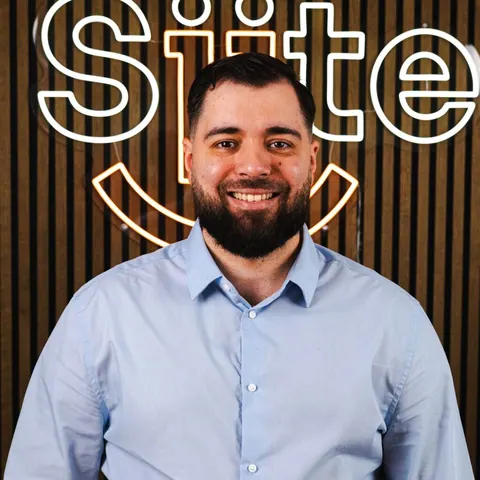
Elvir Sejfulai
Head of Development
Finds who still holds the logins on a new site.
Read their articles
Leonardo Miodrag
CMO, Partner
Sets up business email and its accounts.
Read their articles
Mikkel Friis
Marketing Manager
Secures the Facebook pages we manage.
Read their articles
Nicklas Dyrmose
SEO Specialist
Secures the Google profiles we manage.
Read their articles


