

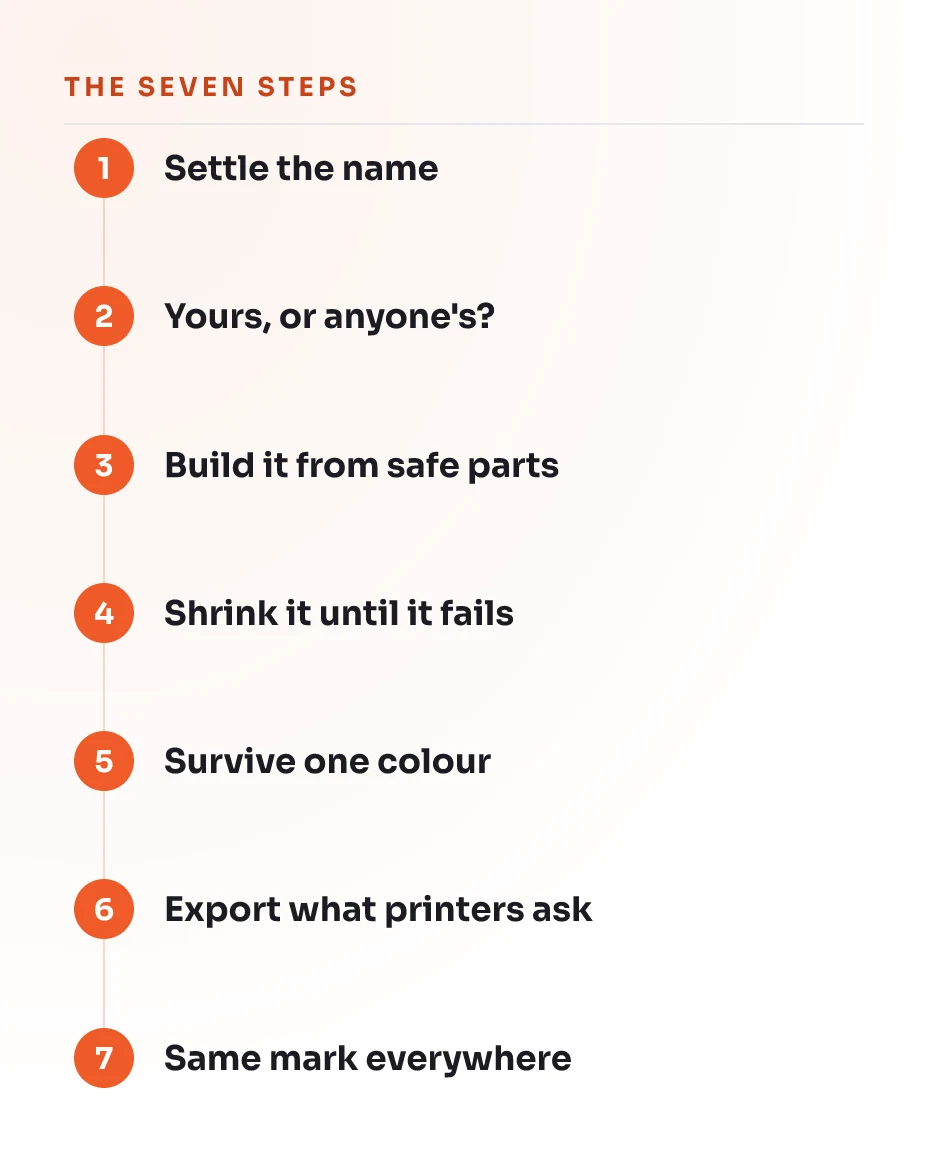
The tarpaulin printer will ask for it. So will whoever does your polo shirts, and the Facebook page, and the Google listing, and the receipt at the counter, and eventually whoever builds your website. A logo is the piece of a business that gets handed to the largest number of strangers, and it is usually made in one evening by the owner, in Canva, starting from a template.
There is nothing shameful in that, and Canva says so itself. What almost nobody is told is what that particular start costs. Canva’s own help centre is direct about it: its logo templates “are customizable and can be used by anyone”, which means your rights to the result are non-exclusive and you cannot register it as a trademark.
If you are testing an idea, that hardly matters. If the business works, it matters a great deal, because the mark beside your name is either exclusively yours or it is not, and nothing you do afterwards changes which. The decision is made in the first ten minutes, by whether you open a template or a blank page, and almost nobody realises they are making it.
This guide takes the blank page. It costs nothing, it takes an afternoon, and it does not require you to be able to draw.
In short
- Canva’s logo templates cannot be registered as a trademark, because anybody else may use the same template. Canva publishes this itself rather than hiding it.
- You can still make a registrable logo in Canva, from its fonts, simple lines and basic shapes, or from artwork you drew or commissioned and uploaded. Nothing else in the library qualifies.
- Choose between those two routes before you start. Switching later means every sign, shirt, sticker and receipt is reprinted on the same day.
- Every free logo maker holds something back: the commercial licence, the printable file, or the right to register it. Which one is the thing to check before you start.
- The test of a logo here is never the screen it was made on. It is a signboard from across the road, one colour on a receipt, and a circle on Facebook.
Before you start
- The name you actually trade under, written the way you want it read. Not the certificate wording unless they happen to match.
- A design tool. Canva, one of the free logo makers compared in step three, or Inkscape, which is free and has no licence to read.
- Somewhere to keep files that is not one person’s phone. A shared drive, or a folder on a computer that gets backed up.
- Twenty minutes to look at the signs on your own street, which is more useful preparation than looking at logo galleries.
- A printer or a supplier you will have to send this to, so the finished folder has a real first recipient.
Two words get used loosely and are worth separating. A logo is the mark itself, the thing people recognise. A trademark is a legal registration that gives you the exclusive right to use that mark for your kind of goods or services. Every business has the first. Only a business that has registered has the second, and registering your business name with the DTI is a different thing again, which our article on the name on your certificate sets out in full.
Step 1: Settle the name before you open anything
By the end of this step the words that go in the mark are decided, and they are the words your customers actually say.
This sounds like the easy part and it is where most of the wasted afternoons come from. A DTI registration produces a dominant name plus a descriptor, and the full string is rarely what anybody says out loud. Somebody recommending you in a group chat types the short version. That short version is what belongs in the logo.
Write it down exactly as it will appear, and be specific about the things that drift: the capitalisation, whether there is a space, whether it is “and” or an ampersand. Then search it. Look on Google, on Maps and on Facebook, and look for businesses near you in the same trade using something close enough to be confused with you.
Check it worked when you can write the name out twice, an hour apart, and get exactly the same string both times. If the two versions differ, the logo is not the problem yet.
Step 2: Decide whether the mark has to be exclusively yours
By the end of this step you have chosen one of two routes that are awkward to swap between afterwards.
There are two honest answers and the guide is not going to pretend otherwise. A template is a reasonable choice when the business is an experiment, a sideline, a seasonal stall, or anything you would abandon without regret. Canva makes that case itself, describing templates as a good way to start when you are not worried about having exclusive rights, and that is a fair description.
The other route is for a business you expect to still be running in five years. Choose it if any of these are true:
- You intend to register a trademark, now or later.
- Your name goes on a product that leaves your premises and is resold.
- You expect to open a second branch, or to let somebody else trade under the name.
- You are in a trade where copying a successful neighbour is ordinary rather than shocking.
- The name is unusual enough that you would be annoyed to see it on somebody else’s sign.
What makes this hard to reverse is not the design work. It is that the mark will be on a signboard, a delivery vehicle, two dozen shirts, a rubber stamp, a receipt template and several thousand stickers, and those are all replaced on the same day or not at all.
Check it worked when you can say which of the two routes you are taking, and give the reason in one sentence, without using the word “maybe”.
Step 3: Build it only from parts nobody else has a claim on
By the end of this step there is a mark on screen and you know where every piece of it came from.
If you chose the template route, take one and skip to step four. If you chose exclusivity, the rule is narrow and worth stating exactly, because it is the whole of the difference. Canva permits three things in a logo you intend to register:
- Any of its fonts.
- Simple lines and basic shapes from its free library.
- Your own artwork, uploaded — something you drew, or commissioned from a designer.
Everything else in the library is out. Not just the obvious illustrations, but the icons, the decorative flourishes, the little leaf, the swoosh and the photographs, free or paid. Canva’s reasoning is the same in every case: it grants a non-exclusive licence, other users may use the identical element, and a trademark has to be a symbol used exclusively by one owner. There is no upgrade that fixes this. Canva states plainly that buying exclusive rights to one of its graphics is not something it offers, and points you to a local designer instead.
That leaves less than it sounds, and more than most people expect. A name set in a well-chosen typeface, spaced deliberately, with a rule or a simple geometric shape doing the work, is a complete and serious mark. If what you want is a drawn symbol and you cannot draw, this is the moment that becomes a commission rather than an afternoon, and our article on which design work to keep doing yourself is about exactly that line.
One thing to check while you are here. If you will ever set the same name in the same typeface outside Canva, in a document or on a sign the printer lays out, you need that typeface licensed for use there too. Inside Canva it is covered. On your laptop it is a separate question.
What each free logo maker holds back
“Free” means something different at every one of them, and the difference is never the design. It is what you are allowed to do with the result. Checked against each supplier’s own terms in September 2026, and worth rechecking before you commit, because these change:
- Canva. Genuinely free to use, including the export. The limit is legal rather than financial: templates and library graphics cannot be registered, while its fonts, simple lines and basic shapes can.
- LogoMakr. The free download is licensed “for personal use only” and non-commercial, and printing it is not allowed. Its own licence page states the free files remain LogoMakr’s property until you buy the licence, and warns of a fee if the terms are broken. For a business that intends to print anything, the free tier is not an option.
- Looka. Free to design, and you pay to download anything. Read its ownership answer closely: you get “full copyright of your logo as a whole, but not the individual elements (e.g. symbols)”. The symbol came from a shared library, so it is the same non-exclusivity problem in different words.
- Wix Logo Maker. Free to design, and the free sample is one low-resolution JPG. Full commercial rights come with a paid plan, and the printable vector file is not on the cheapest one, so a business planning signage needs a higher tier than the price list first suggests.
- AI logo generators. Read what you are granted rather than assuming. Even where the tool grants you the output, the honest general caution is the one Canva states about its own: many jurisdictions give no copyright protection to work created by AI. You may therefore be limited in stopping anybody else from copying it.
The pattern is the same everywhere. What is withheld from the free tier is the vector file, the commercial licence, or exclusivity, and those are precisely the three things a business needs.
The one free route that finishes with something yours
There is an exception, and almost nobody writes about it because nobody sells it. Use Inkscape, a free and open source vector editor, and set the name in a typeface from Google Fonts. Google’s own FAQ is unambiguous on the licensing: “you can use them commercially”, and “you can use Google Fonts within any logo”.
What comes out is a vector file, made of your own shapes and a typeface licensed for commercial use, with nothing held back and no upgrade to buy. It is registrable, it prints at any size, and it costs an evening instead of money. The one thing the font licence does not give you is the right to sell the font itself, which is not something you were going to do.
Inkscape is harder to learn than a logo maker. That is the entire trade, and for a business expecting to carry the name for years it is usually the right one.
Check it worked when you can point at every element on the canvas and say, out loud, where it came from. If any answer is “it was in the library”, that element cannot be part of a registrable mark.
Step 4: Design it for the smallest place it has to survive
By the end of this step the mark is legible at the size it is actually met, rather than the size it was made at.
You are looking at this on a screen, large, with nothing else nearby. Your customer never will. Shrink it until it is about the size of a fingernail and look again, because a browser tab shows a logo at roughly 32 pixels across and a phone notification is not much kinder. Whatever turns into a grey smudge has to come out, no matter how good it was at full size.
Then check the crop. Facebook, Instagram and Google all put a profile picture inside a circle, which quietly removes the corners and, for a wide horizontal name, most of the word. A logo that only exists as a long horizontal lockup needs a square companion, and deciding what that square version contains is a design decision rather than a resize.
Two more, both specific to how businesses here are actually seen:
- The signboard. It is read from across a road, usually at an angle, often past a parked vehicle. Our article on choosing a tarpaulin size has the arithmetic that turns reading distance into letter height, and it applies to a permanent sign just as well.
- The embroidery. A polo shirt reproduces shapes, not detail. Thin lines, small gaps and fine text disappear into the stitching, and you find out after the order is made.
Resist putting the tagline inside the artwork. It is the first thing to become unreadable and the first thing you will want to change.
Check it worked when you can recognise the mark at thumbnail size and inside a circle, on somebody else’s phone, without telling them what it says.
Step 5: Make it work in one colour
By the end of this step you have versions for every place colour is not available or not reliable.
Colour is the part that travels worst. A rubber stamp is one colour. An official receipt is one colour. A fax from a supplier, a photocopied permit, a newspaper notice and a vehicle sticker cut from vinyl are all effectively one colour, and every one of them is somewhere a Philippine business puts its name.
So make three versions and keep them together: the full-colour mark, an all-black version, and an all-white version for dark backgrounds. If the mark only makes sense in colour, it is not finished. Convert it to black and look at whether the shapes still separate.
The colour version has its own trap, which is that screens mix light and printers mix ink, so the blue you chose will not be the blue that comes back on vinyl. Write your colours down in both forms, which is what CMYK explains, and give the codes to the printer rather than a picture to match by eye. While you are choosing, check that the text has enough contrast against whatever sits behind it, because a logo that fails outdoors in daylight fails at the exact moment it is meant to be working.
Check it worked when you print the black version on an ordinary office printer, hold it at arm’s length, and can still read it.
Step 6: Export the files you will be asked for
By the end of this step there is one folder you can send to anybody who asks, without going back to the design tool.
People will ask for the logo in formats they cannot explain. The list below covers every request we have seen from a Philippine print shop, a supplier or a developer:
- A vector file. Stored as shapes rather than pixels, so it prints sharply at any size. An SVG if your plan exports one, and a print-quality PDF if not. This is the file a large-format printer means when it asks for “the vector”, and why it matters is set out under vector.
- A PNG with a transparent background, at a few sizes. Not every plan offers the transparent export, so check yours before promising it. Without it the logo arrives with a white box around it, which is invisible to you and obvious on a coloured tarpaulin.
- The square version, for profile pictures, exported separately rather than cropped by whoever uploads it.
- The one-colour versions, black and white, as their own files.
- A small JPG, because some systems will accept nothing else.
Name them so a stranger can pick the right one: the business name, then what the file is, then the size. Then keep the editable design itself. That is the master, and everything above is a copy made from it.
Check it worked when a printer asks for the vector file and you can send it within a minute, from a folder, without opening Canva.
Step 7: Put the same file everywhere, and keep the source
By the end of this step the same mark is in every place a customer meets the business.
The commonest failure after this point is not a bad logo. It is four slightly different ones: an old version on the Facebook page, a stretched one on the Google listing, whatever the printer had on file for the tarpaulin, and a fifth on the receipts. Each was reasonable on its own day. Together they read as a business that changes, which is the opposite of what a mark is for.
So go round them deliberately, in one sitting: the Facebook page and Instagram, the Google Business Profile, the receipts and invoices, the signage, any vehicle, the website, the marketplace shops, and the email signature.
Then write down three things somewhere the next person will find them: the exact colour codes, the typeface name, and where the master file lives. That is the smallest useful version of brand guidelines, and it is what stops the fifth version appearing next year when somebody new needs the logo in a hurry and takes a screenshot of your Facebook page.
Check it worked a month on, when you can open any two places your business appears, put them side by side, and see the same mark in both.
Common mistakes
- Starting from a template and deciding later whether it needed to be yours. The decision is cheapest in the first ten minutes and most expensive after the signage is up.
- Assuming a paid Canva plan buys exclusivity. It buys access to more content, under the same non-exclusive terms. Canva does not sell exclusive rights to its graphics.
- Putting the whole registered name and its descriptor into the mark. It is longer than anybody says out loud, and it makes the logo unreadable at small sizes.
- Designing it only at full size on a laptop. Almost every problem in a small business logo is invisible until it is shrunk.
- Letting the print shop lay out the logo as part of the layout fee. Convenient, and it usually leaves you without the source file and without knowing what the artwork was built from.
- Keeping only a PNG. A picture of your logo is not the logo, and you find out on the day a supplier needs it large.
- Storing the master on one person’s phone. Phones are lost, replaced and taken with people when they leave.
- Using a photograph in the mark. It cannot be stamped, embroidered, cut in vinyl or shown in one colour.
- Redesigning because you have grown tired of it. You see your own logo hundreds of times more often than any customer does, and every year of use is recognition you would be spending.
What success looks like
A month after the logo is finished, you should be able to say all of the following without checking:
- You know whether your mark could be registered, and you chose that on purpose rather than discovering it later.
- A supplier asked for a file and you sent the right one the same hour.
- The mark on your sign, your Google listing and your receipts is the same mark.
- Somebody who has seen your tarpaulin once recognises the profile picture as the same business.
- The master file is somewhere that survives a lost phone and a staff member leaving.
The honest limit
When to stop doing it yourself
Six of these seven steps are decisions rather than drawing, and an owner who can type can finish them. The seventh is where it changes. If the mark you want is a symbol rather than your name set well, you are now doing the one part of this that is a craft, and the gap between a drawn symbol and an arranged one shows up at the sizes nobody tests. The other stopping point is the licence. Canva's library is closed to you the moment the mark has to be exclusively yours, and Canva's own answer to that is to commission the artwork, because it does not sell exclusive rights to its graphics at all. If the business is going to carry the name for years, that is the point to hand it over, and it is a smaller job than most owners expect.
Questions we get
Questions we get about this
Can I trademark a logo I made in Canva?
Is it worth paying for a logo when Canva is free?
Can I use an AI logo generator?
What size should I make my logo?
How do I get a transparent background on my logo?
Can I use the same logo my printer designed for my tarpaulin?
Read next
How to make a Google Business Profile: six steps to being on the map
Check whether Google already lists your business before you create anything, then get through the step that actually stops people: verification.
How to start an ecommerce business: from chat orders to a store you own
How to open an online store, step by step, for Philippine businesses already taking orders by chat. Starting with what the international guides get wrong.